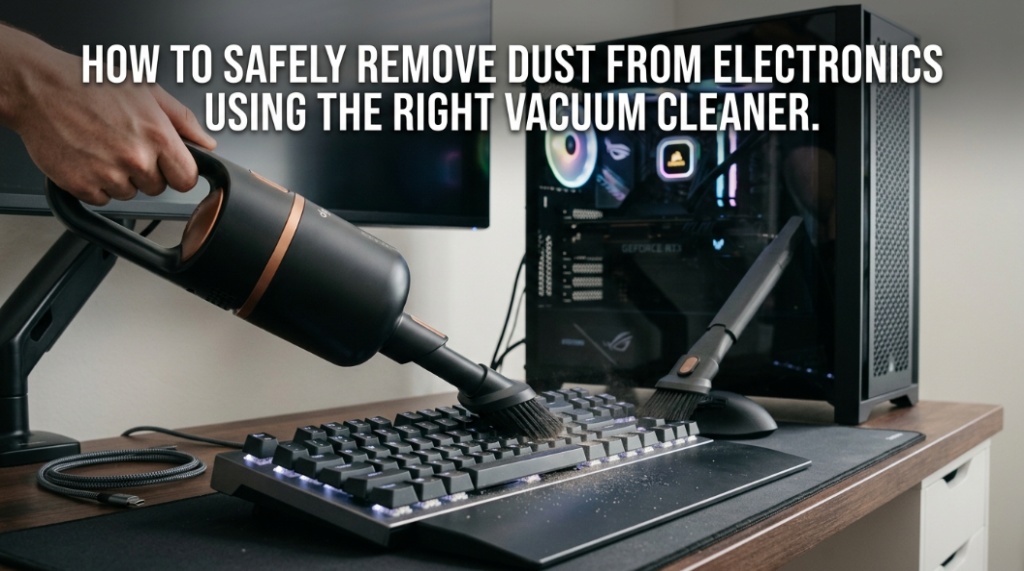
How to Safely Remove Dust From Electronics Using the Right Vacuum Cleaner

Most electronics do not fail because of age first—they fail because microscopic dust slowly traps heat like a winter blanket around sensitive components. An electronics dust cleaner is one of the safest and fastest ways to prevent overheating, noisy fans, motherboard damage, and reduced device lifespan when used correctly.
Dust buildup inside electronics blocks airflow, raises internal temperatures, and forces cooling systems to work harder. Over time, this can reduce performance, trigger thermal throttling, and even shorten the life of expensive components. Using the correct vacuum for motherboard cleaning and following safe dust removal for electronics practices helps maintain laptops, gaming PCs, keyboards, routers, TVs, servers, and other sensitive devices without causing static damage.
According to multiple PC hardware maintenance studies and repair technicians, overheating caused by dust accumulation is one of the leading reasons for premature hardware instability in desktops and laptops. Fans coated in dust can lose cooling efficiency dramatically, especially in high-performance gaming systems and workstations.
This guide explains how to safely clean electronics with a vacuum cleaner, which tools are safe, what mistakes to avoid, and how professionals handle delicate components like motherboards, power supplies, GPUs, and cooling systems.
What Is an Electronics Dust Cleaner and Why Does It Matter?
An electronics dust cleaner is a specialized cleaning tool designed to safely remove dust, lint, and debris from sensitive electronic components without damaging circuitry or creating static electricity.
Unlike standard household vacuum cleaners, electronics-safe cleaning devices use anti-static materials, controlled airflow, soft brush attachments, and filtration systems designed for delicate hardware. Dust may seem harmless, but inside electronics it becomes a thermal problem.
Dust accumulation commonly affects:
- CPU coolers
- GPU fans
- Motherboards
- Power supplies
- Laptop vents
- Mechanical keyboards
- Gaming consoles
- Network routers
- Audio equipment
- TV ventilation systems
When airflow decreases, internal temperatures rise. Modern processors often reduce performance automatically to prevent overheating. In extreme cases, systems may shut down unexpectedly.
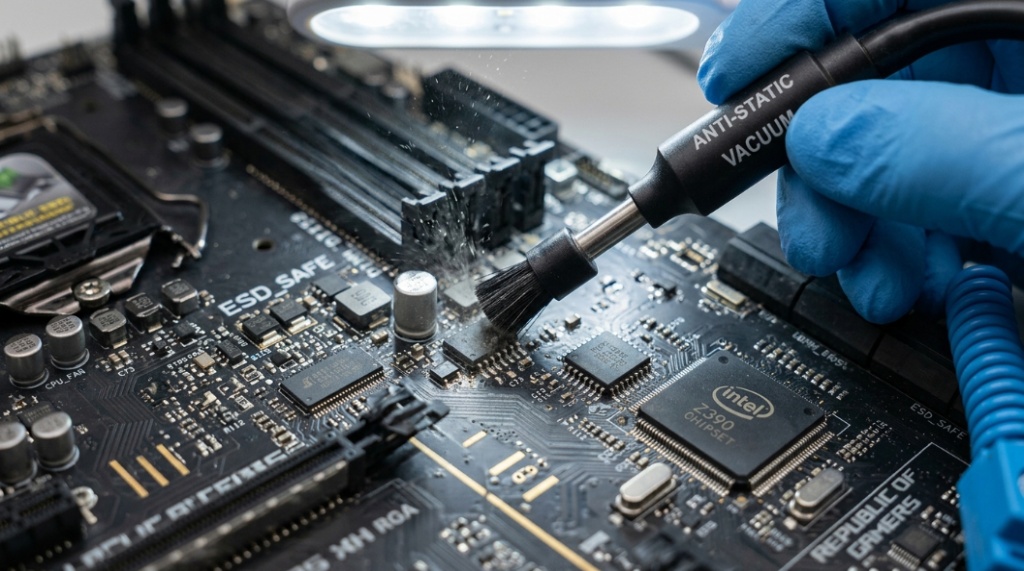
Why is dust dangerous for electronics?
Dust blocks airflow, traps heat, and can attract moisture, increasing the risk of overheating and electrical instability.
Fine dust particles also settle between heat sink fins where cooling performance matters most. In humid environments, dust can combine with moisture and create conductive residue over time.
Can You Use a Regular Vacuum Cleaner on Electronics?
No, using a regular household vacuum cleaner directly on electronics is risky because it can generate static electricity and damage sensitive components.
Standard vacuum cleaners are not built for delicate circuitry. The high suction power and plastic hose movement can create electrostatic discharge (ESD), which may silently damage components like RAM, GPUs, SSDs, and motherboards.
Many people assume static damage only happens with visible sparks. In reality, even tiny electrostatic discharges invisible to the human eye can harm semiconductor components.
What happens if static electricity damages a motherboard?
Static electricity can weaken or destroy tiny electronic pathways inside chips and circuits, causing random crashes, boot failures, or complete hardware failure.
Motherboards contain highly sensitive integrated circuits that operate at extremely low voltages. A static discharge far below human detection thresholds can still damage them.
What Type of Vacuum Is Safe for Motherboard Cleaning?
The safest vacuum for motherboard cleaning is an anti-static electronics vacuum designed specifically for computer hardware and sensitive electronics.
Professional electronics vacuums include features that reduce electrostatic discharge and control suction strength safely.
| Feature | Electronics Vacuum | Regular Household Vacuum |
|---|---|---|
| Anti-static protection | Yes | No |
| Controlled suction | Yes | Usually too strong |
| Safe for motherboard cleaning | Yes | Risky |
| Soft brush attachments | Included | Rarely suitable |
| Fine dust filtration | High efficiency | General purpose |
| ESD-safe materials | Yes | No |
Popular safe cleaning options include:
- ESD-safe electronics vacuums
- Compressed air blowers
- Electric air dusters
- Mini anti-static vacuum cleaners
- Soft anti-static brushes
Is compressed air better than a vacuum?
Compressed air removes dust effectively, but it often blows debris deeper into rooms or other components. A proper electronics vacuum captures dust instead of redistributing it.
Many technicians combine both methods: compressed air loosens stubborn dust while an anti-static vacuum removes airborne particles safely.
How Do You Safely Remove Dust From Electronics?
The safest way to perform dust removal for electronics is to power devices off completely, discharge static electricity, and use electronics-safe cleaning tools carefully.
Follow this professional cleaning process:
Step 1: Power Everything Off
Disconnect the device completely from power sources. Remove laptop batteries if possible.
Step 2: Ground Yourself
Touch a grounded metal object or wear an anti-static wrist strap before touching internal components.
Step 3: Open the Device Carefully
Use proper screwdrivers and avoid forcing panels open. Store screws safely.
Step 4: Use Controlled Suction
Never press the vacuum nozzle directly against a motherboard or chip. Keep slight distance while using soft brush attachments.
Step 5: Hold Fans in Place
Prevent cooling fans from spinning excessively while cleaning. Overspinning fans can generate back current and potentially damage fan circuits.
Step 6: Clean Heat Sinks Thoroughly
Dust commonly packs tightly between heat sink fins. Use gentle airflow and brushing together.
Step 7: Reassemble Carefully
Ensure all cables, RAM sticks, and connectors remain properly seated before restarting the device.
Which Electronics Need Regular Dust Cleaning?
Devices with airflow systems, cooling fans, or ventilation openings require regular dust cleaning to maintain performance and reliability.
Some electronics collect dust much faster than others.
Gaming PCs and Workstations
High-performance systems generate more heat and pull larger amounts of air through cooling systems.
Laptops
Laptop cooling systems clog quickly because of compact airflow channels.
Gaming Consoles
Consoles like PlayStation and Xbox systems commonly suffer from overheating caused by blocked vents.
Mechanical Keyboards
Dust and debris under switches can affect typing feel and responsiveness.
Network Equipment
Routers and modems often run continuously and collect dust over time.
Audio Equipment
Amplifiers and studio equipment contain vents and cooling systems sensitive to heat buildup.
How Often Should You Clean Electronics Dust?
Most electronics should be cleaned every three to six months depending on environment, airflow, pets, and room conditions.
Homes with pets, carpets, smoking, or poor ventilation typically require more frequent cleaning.
| Environment | Recommended Cleaning Frequency |
|---|---|
| Clean office | Every 6 months |
| Average home | Every 3–4 months |
| Pet owners | Every 1–2 months |
| Gaming setups | Every 2–3 months |
| Dusty environments | Monthly |
What are signs your electronics need cleaning?
Loud fans, overheating, reduced performance, hot surfaces, and visible vent dust are common warning signs.
Other symptoms include:
- Unexpected shutdowns
- Thermal throttling
- Reduced battery life
- Higher GPU temperatures
- Increased fan noise
- Slow system performance
What Are the Biggest Mistakes During Dust Removal for Electronics?
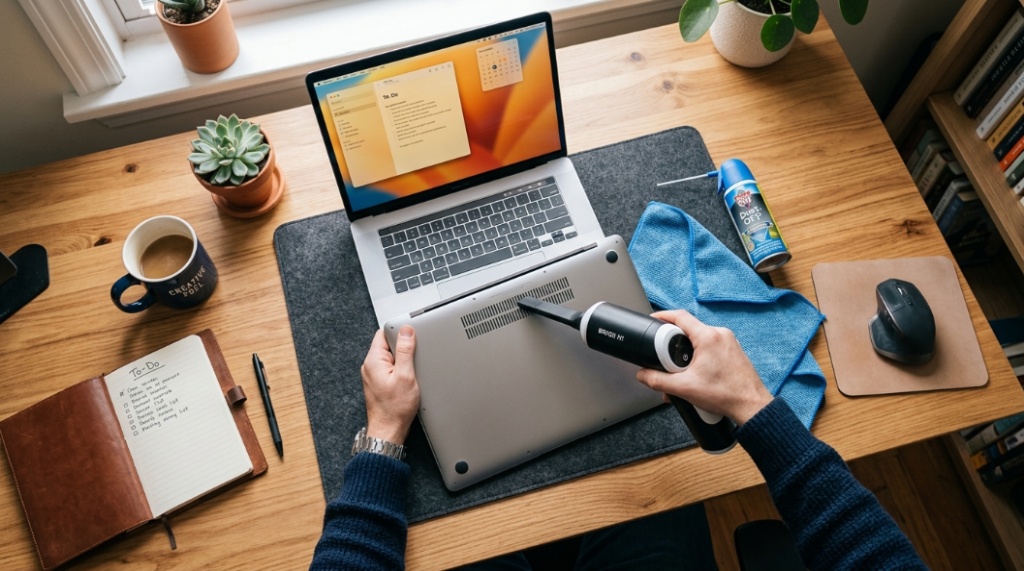
The most common cleaning mistakes involve static electricity, excessive force, moisture exposure, and incorrect vacuum use.
Using a Household Vacuum Directly
This is one of the biggest risks for motherboard damage.
Using Water or Wet Cloths
Moisture can corrode electronic contacts and create short circuits.
Spinning Fans Too Fast
High-speed spinning during cleaning may damage fan bearings or electronics.
Ignoring Power Safety
Cleaning plugged-in electronics creates unnecessary electrical risks.
Using Harsh Brushes
Hard bristles can scratch PCB surfaces and loosen tiny components.
Are Portable Electronics Vacuums Worth Buying?
Yes, a quality portable electronics dust cleaner is worth buying for anyone who regularly maintains computers, gaming setups, or office equipment.
Portable electronics vacuums offer several advantages:
- Safer anti-static construction
- Compact design for tight spaces
- Reduced risk of hardware damage
- Precision brush attachments
- Reusable long-term cleaning solution
For users maintaining expensive gaming PCs or professional workstations, the investment is relatively small compared to hardware replacement costs.
What should you look for in an electronics vacuum cleaner?
Choose models with anti-static protection, adjustable suction, HEPA filtration, and soft brush attachments.
Important buying features include:
- ESD-safe certification
- Lightweight design
- Low-noise operation
- Fine dust filtration
- Precision nozzles
- Brush accessories
- Portable storage
Can Dust Really Shorten the Lifespan of Electronics?
Yes, excessive dust can significantly reduce the lifespan of electronics by increasing operating temperatures and stressing internal components.
Heat is one of the largest long-term threats to semiconductors. Higher temperatures accelerate component wear, reduce efficiency, and may weaken solder joints over time.
Data center operators spend millions annually on cooling and airflow management because thermal control directly affects hardware reliability.
Consumer electronics follow the same principle on a smaller scale.
Does dust affect gaming performance?
Yes, dust buildup can reduce gaming performance by causing CPU and GPU thermal throttling.
When temperatures exceed safe limits, modern hardware automatically lowers clock speeds to reduce heat. This often causes:
- FPS drops
- Input lag
- Stuttering
- Longer load times
- Unexpected crashes
Should You Use Professional Electronics Cleaning Services?
Professional cleaning services are useful for heavily contaminated systems, expensive workstations, or users uncomfortable opening electronics.
Technicians use specialized anti-static equipment and can also identify early hardware issues during maintenance.
Professional cleaning may be especially valuable for:
- Liquid-cooled PCs
- Enterprise servers
- High-end gaming systems
- Production workstations
- Warranty-sensitive devices
How much does professional electronics cleaning cost?
Professional computer cleaning services typically range from $30 to $150 depending on device complexity and contamination level.
What Is the Best Overall Method for Electronics Dust Removal?
The best method combines anti-static vacuums, controlled airflow, soft brushes, and regular maintenance schedules.
No single tool solves every cleaning situation perfectly. Professional technicians usually combine multiple approaches for safe and effective results.
A balanced cleaning kit often includes:
- Electronics-safe vacuum cleaner
- Electric air duster
- Anti-static brush
- Microfiber cloth
- ESD wrist strap
- Precision cleaning tools
Regular preventive cleaning is safer and easier than waiting for heavy dust accumulation.
Conclusion
Dust is more than a cosmetic problem for computers and electronics. It quietly raises temperatures, restricts airflow, increases fan noise, and shortens hardware lifespan over time. Safe dust removal for electronics protects expensive devices from avoidable overheating and performance problems.
The safest approach is using a dedicated electronics dust cleaner or an anti-static vacuum for motherboard cleaning instead of a regular household vacuum. Combining controlled suction, soft brushes, and routine maintenance keeps systems cooler, quieter, and more reliable.
Whether you maintain a gaming PC, office workstation, laptop, or home entertainment setup, regular cleaning can improve performance and reduce long-term repair costs. Small maintenance habits often prevent major hardware failures later.
If your electronics already run hot, sound louder than usual, or show visible vent dust, now is the right time to clean them properly before heat damage becomes permanent.
FAQ: Dust Removal for Electronics
Can I vacuum inside my PC safely?
Yes, but only with an anti-static electronics vacuum designed for sensitive hardware. Regular household vacuums may generate static electricity that can damage components.
Is compressed air safe for electronics?
Yes, compressed air is generally safe when used correctly. Keep the can upright, avoid moisture release, and prevent fans from spinning excessively during cleaning.
How do I clean dust from a motherboard?
Power off the system completely, ground yourself to avoid static discharge, and use an anti-static brush or electronics-safe vacuum with gentle suction.
Can dust cause a computer to overheat?
Yes, dust blocks airflow and heat sink fins, reducing cooling efficiency and increasing internal temperatures significantly.
How often should I clean my gaming PC?
Most gaming PCs should be cleaned every two to three months, especially in dusty rooms or homes with pets.
What is the safest electronics dust cleaner?
An ESD-safe vacuum cleaner with adjustable suction and anti-static accessories is one of the safest cleaning solutions for electronics.
Can dust permanently damage electronics?
Yes, long-term overheating caused by dust accumulation can shorten component lifespan and lead to permanent hardware failure.
📌 Related Reads
Discover: Beginner-Friendly Garden Tool Sharpening Tips in Columbus, OH
Explore: How to Find a Top Rated Vacuum for Home Cleaning Needs